Bells and whistles. Bloat. Whatever you want to call them, most project management tools are packed full of features teams never use. You might even be wasting time trying to cut through the clutter to find the simple project management features you do use.
Here’s the problem: software vendors want their tool to stand head and shoulders above everything else in the market. So, they keep layering on new features, each shinier than the last. And that’s great for customers who genuinely need them.
But what about those who just want to track how long a project will take and who should work on it?
In this guide, we’re going back to basics. We’ll explore the must-have features freelancers, small teams, and project managers need in a simple project management software. Then, we’ll explore nine of the most straightforward platforms in the field, so you don’t have to dig through hundreds of options.
9 simple project management tools: Quick overview
| Tool | Best for | Native time tracking | Free plan? | Paid pricing starts from |
| Toggl Focus | Time-conscious teams and individuals | Yes | Yes | $9 per user/mo |
| Trello | Visual thinkers and solo users | No | Yes | $5 per user/mo |
| TeamGantt | Small teams | Yes | Yes | $49 per manager/mo |
| GanttPRO | Planners of structured projects | No | No | $7 per user/mo |
| OpenProject | Teams needing open-source control | No | Yes | Free |
| Smartsheet | Spreadsheet-first project planners | Yes | Yes | $9 per user/mo |
| Asana | Growing teams craving flexibility | Yes | Yes | $10.99 per user/mo |
| Plaky | Small businesses tracking tasks | No | Yes | $3.99 per seat/mo |
| Freedcamp | Budget-conscious teams | Yes | Yes | $1.49 per user/mo |
What makes a project management tool simple?
When learning curves and capabilities are individual, how do we define what “simple” looks like in software terms? While there’s no universal definition, we consider a simple project management tool to prioritize the following:
- Ease of use: Anyone new to the software should find it straightforward to use. The layout and navigation should feel familiar, so users instinctively know where to create tasks, update progress, and see what’s coming next, without hunting through nested menus or dashboards.
- Quick setup: If customization is a selling point, it should be optional, not mandatory. A simple project management tool lets you get started in minutes, with sensible defaults and light configuration. You shouldn’t need training sessions, long onboarding guides, or help from IT just to create a new project.
- No-bloat features: The tool should give you the core functionality you need without overwhelming you with gimmicky extras you’ll never use. Built-in time tracking, task creation, assignments, basic scheduling, and simple collaboration are the fundamentals.
- Clear views of work: “Simple” means clarity rather than limited usability. Whether it’s a list, board, calendar, or timeline, it should be easy to switch between views and instantly understand what’s happening in your project work.
- Low learning curve for collaborators: A simple tool should work just as well for occasional contributors as daily users. Ideally, any type of team member will join a project, understand their responsibilities, and update their work without needing repeated explanations or reminders.
Overall? Simple project management software should remove friction, not add it.
The right tool will give individuals and small teams enough structure to plan, streamline, and track work effectively, without forcing them to adopt heavyweight processes or think like professional project managers.
9 best simple project management tools (detailed look)
We’re deliberately fussy about recommending tools. To make sure we’re only recommending the real crème de la crème, we spend a lot of time understanding how each platform stacks up in the real world.
We’ve spent time digging into customer feedback on sites like G2 and Capterra, looking at both review scores and the patterns that show up again and again in how people actually use these tools.
We’ve also compared features and pricing, and leaned on our in-house product expertise to understand how each tool feels in day-to-day use. The result is a mix of simple project management tools, from free and open source options to all-in-one platforms. Some include native time tracking, like Toggl Focus, while others rely on third-party integrations using platforms like Zapier or Make.
1. Toggl Focus: Best for time-conscious teams and freelancers
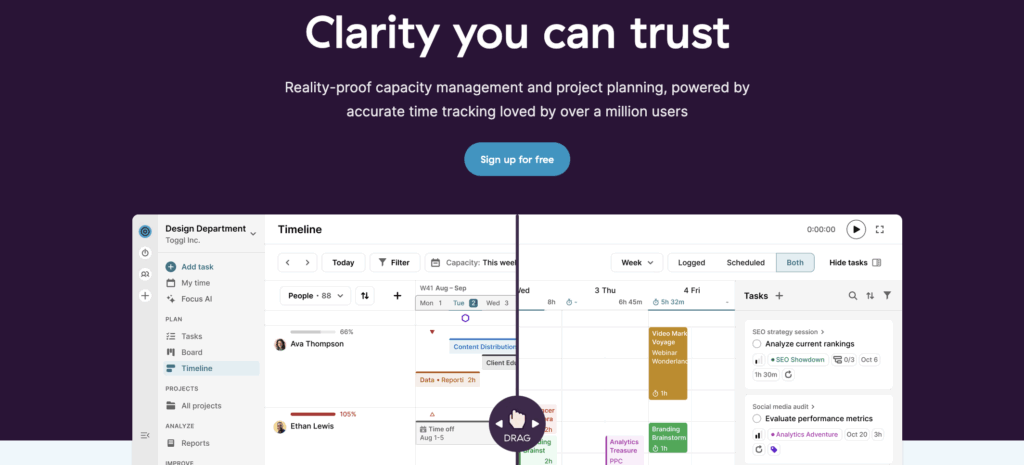
Toggl Focus makes project management simple by removing the guesswork.
The platform puts raw time data — tracked from your work — at the center of project management, so you can base every task, scheduling deadline, or resource decision on hard facts. The idea is you don’t have to estimate blindly or reconcile plans. Instead, you just plan your project, track it as it happens, and see the impact immediately.
Simplest of all? Instead of patching a collection of tools together to create a tech stack monster, you have every core project management feature you need in one clean, no-bloat platform.
Key features
- Built-in time tracking with manual entry, real-time timers, focus mode, and calendar-based logging
- Flexible work views: Board, Tasks, Calendar, and Timeline views let you look at tasks, schedules, and priorities in the way that makes most sense to you
- Capacity planning and workload visibility shows who’s under- or over-booked, and helps you balance work across people and time
- Visual planning with drag-and-drop timelines that make it easy to slot tasks around real availability, holidays, and time-off
- Milestones and project markers for highlighting key dates and outcomes in shared plans
- Reporting and insights showing actual vs planned time, workload charts, and filters by client, status, task, project, or priority.
- Keyboard shortcuts for fast tracking and Pomodoro sessions
Pros
- Time tracking is the core of the platform rather than a bolt-on
- Visual clarity across multiple views — calendar for daily focus, boards for workflow, timelines for longer planning
- Aligns teams on what matters now and what comes next without overwhelming them with settings
- Suitable for freelancers, small teams, and growing teams alike
Cons
- Free forever plan is capped
- Timeline view isn’t available on the free plan
- Capacity and workload management only available on Premium and Enterprise plans
Pricing
- Free: For up to five users. Includes time tracking, calendar/board/task views, personal productivity insights, and core scheduling essentials.
- Starter: $9 per user/mo. Adds timeline view, tags, milestones, and capacity basics, like PTO, public holidays, and flexible hours, and team visibility.
- Premium: $20 per user/mo. Adds full capacity management.
- Enterprise: Custom pricing is available for larger organizations needing scalable support.
What users think
“Switching to Toggl has been one of the best decisions for our team. From the moment we started using it, the platform’s intuitive and user-friendly interface stood out, making it incredibly easy to track time and manage projects.” — Yugo M., a small business founder
“I love how clean and simple Toggl is, I can literally just hit start, get to work, and stop easily, no confusing UI or extra clicks. The reports are super handy too, especially when I sometimes want to see where my time actually goes. It just makes tracking time feel easier.” — A computer software user
2. Trello: Best for visual thinkers and solo users
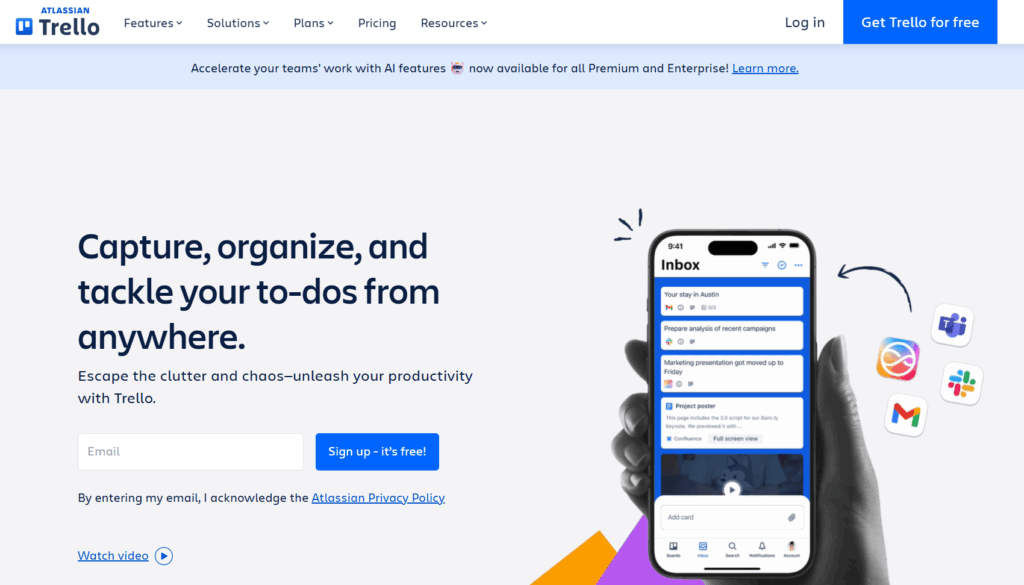
Trello is a Kanban-style tool that’s up there with the simplest of the project management platforms in the market. You’ll set up a separate board for each project you want to work on — these can be personal projects like grocery shopping and wedding planning, or professional projects like HR onboarding and product marketing.
With built-in templates for a variety of use cases, you can get set up in minutes. You’ll create lists (columns) for each step in your workflow, then add cards for each related task.
Key features
- Kanban-style boards with customizable columns and cards
- Drag-and-drop task management
- Task details, including descriptions, checklists, due dates, and attachments
- Basic collaboration tools like comments, mentions, and notifications
- Optional Power-Ups to extend functionality (for example, calendars or workflow automation)
Pros
- Extremely easy to use with almost no learning curve
- Visual layout makes project status easy to understand at a glance
- Generous free plan for individuals and small teams
Cons
- Relies on third-party tools for time tracking
- Limited support for subtasks and complex timelines
- Reporting and analytics are very basic
- Can become cluttered or hard to manage as boards grow
Pricing
- Free trial available
- Free plan available for up to 10 collaborators per workspace
- 3 premium plans: Standard, Premium, and Enterprise
- Premium pricing starts at $5 per user/mo
What users think
“I really like Trello because it keeps everything organized in a visual, easy-to-follow way. The boards, lists, and cards make it simple to track projects, share updates, and collaborate with others without anything getting lost.” — Michelle K., a director of finance and operations“The simple drag and drop system makes updating tasks feel natural and quick. It also encourages my team to stay organized without adding extra pressure.” — Adam B., an analyst
3. TeamGantt: Best for small teams
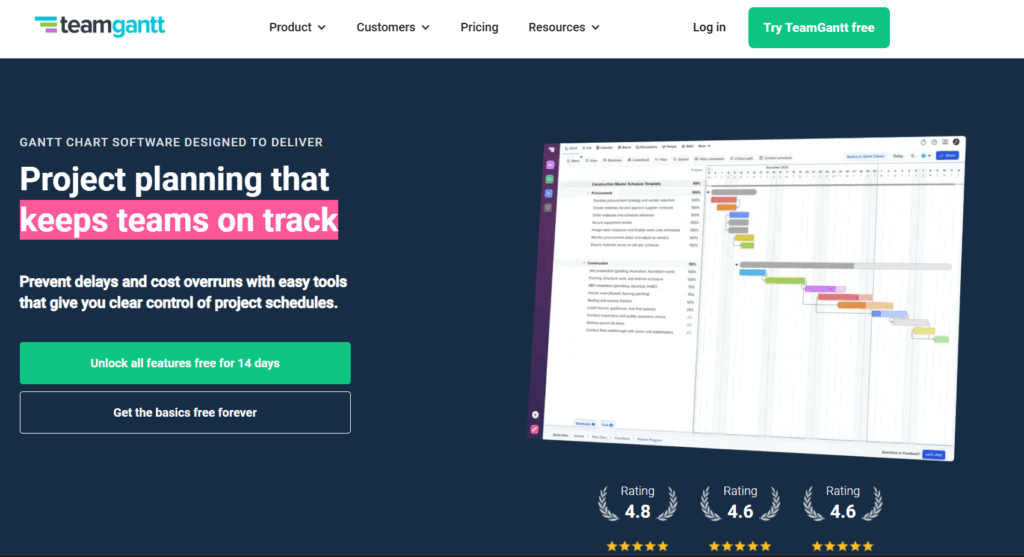
As the name suggests, TeamGantt focuses on Gantt charts to plan and track projects. It’s designed for teams that think in timelines and milestones rather than task lists.
While project timelines are the core visual, TeamGantt also lets you switch between board, list, and calendar views if that suits your workflow better. This makes it a good fit for teams that want the structure and accessibility of an online Gantt chart, but still need flexibility when it comes to day-to-day task management.
Key features
- Gantt chart timelines with drag-and-drop scheduling
- Task dependencies and milestone tracking
- Board, list, and calendar views alongside timelines
- Workload and availability views for basic resource planning
- Live project status reports that can be shared with stakeholders
- Collaboration features, including comments, file attachments, and notifications
Pros
- Timelines are easy to understand, even for non-project managers
- Drag-and-drop scheduling makes plan changes quick and intuitive
- Live status reports are useful for sharing progress externally
- Customer-funded product, with updates driven by user feedback
Cons
- Free plan is very limited in scope
- Reporting options are fairly basic
- No native time tracking built directly into the platform
Pricing
- Free trial available
- Free plan available for one user and one project
- 3 premium plans: Pro, Unlimited Everything, Construction Edition
- Premium pricing starts at $49 per manager/mo
What users think
“TeamGantt gives me a compact, simple and very easy to use platform that offers significant functionality and tremendous collaborative applications for team management.” — Roy A., a quality assurance professional
“Getting all project participants on the same page is simple so they can communicate and keep things moving ahead.” — Allyson C., a B2B marketing specialist
4. GanttPRO: Best for planners of structured projects
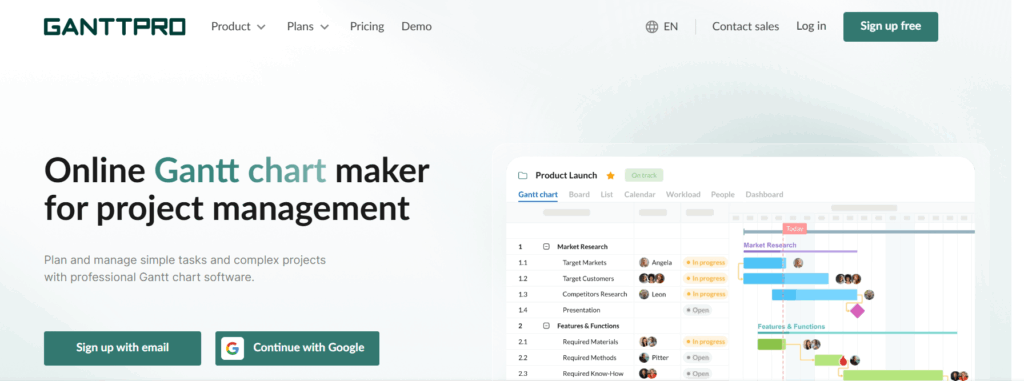
You’re not seeing things — there’s another Gantt tool on the list, and for good reason. GanttPRO is designed for teams that want the simplicity of a timeline-first project view, but with more structure and control than ultra-lightweight tools typically offer.
At its core, GanttPRO turns projects into clear visual roadmaps. Tasks, dependencies, milestones, and deadlines are all available on the timeline, making it easier to understand how work connects and what’s at risk if plans change. The platform offers a little more depth than some simpler tools, but without the heavy setup or steep learning curve of enterprise project management software. The downside is there’s no free plan, but premium pricing is relatively affordable.
Key features
- Gantt chart timelines with drag-and-drop scheduling
- Task dependencies and milestones for structured planning
- Resource management with workload and availability views
- Multiple views, including board and list, alongside the timeline
- Project templates for faster setup
- Export options for sharing plans with external stakeholders
Pros
- Clear, visual timelines make complex projects easier to understand
- Strong balance between simplicity and advanced planning features
- Easy to adjust schedules and dependencies without rebuilding plans
- Helpful for reporting and stakeholder communication
Cons
- No free forever plan
- Time tracking is not a core, built-in feature
- Some advanced features are limited to higher-tier plans
Pricing
- Free 14-day trial available
- 4 premium plans: Core, Advanced, Business, and Enterprise
- Premium pricing starts at $7 user/mo
What users think
“The drag-and-drop interface is simple but powerful, and I especially appreciate the ability to assign tasks, track progress, and adjust deadlines effortlessly. The collaboration features, notifications, and export options make it ideal for both internal team planning and reporting to stakeholders. It’s a perfect balance between functionality and simplicity.” — Thi Thuy Phuong H., a remote business analyst
“What I like best about GanttPRO is its remarkable ability to turn complex project data into a clear, actionable visual roadmap. Many tools focus either on simple lists or overly complex spreadsheets, but GanttPRO hits the “sweet spot” of professional project management.” — Maria Paulina S., a project manager
5. OpenProject: Best for teams needing open-source control
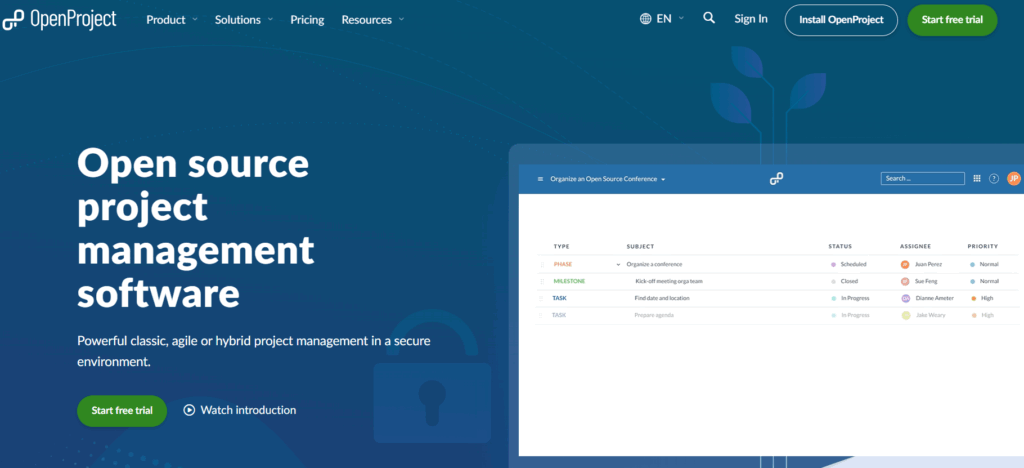
OpenProject is an open source project management tool that offers a surprisingly clear experience. The platform comes with defined project structures and ready-to-use features, so teams can start managing work without building everything from scratch. Customization is available for those who need it, but isn’t a requirement for using the tool effectively.
Key features
- Task and work package management with clear status tracking
- Gantt chart timelines and milestone planning
- Board and list views for day-to-day task management
- Collaboration features, including comments, notifications, and activity feeds
- Time tracking and cost reporting (depending on setup)
Pros
- Open source and self-hosted option gives teams full control over data
- Clear project structures work well out of the box
- Suitable for non-technical teams when used in its default setup
- Active community and comprehensive documentation
Cons
- Interface feels more outdated than some modern SaaS tools
- Some advanced features require paid plans
- Less suited to very informal or personal project tracking
Pricing
- Free trial available
- Free Community edition — open source, and self-hosted
- 4 premium levels: Basic, Professional, Premium, and Corporate
- Premium pricing starts at $7.25 per user/mo
What users think
“OpenProject is super intuitive to use, there is a great online documentation (and personal support) but it is not really needed.” — A management consultant
“Some features are easy to use, and it serves various management environments, not just software development.” — Caio E., project manager
6. Smartsheet: Best for spreadsheet-first project planners
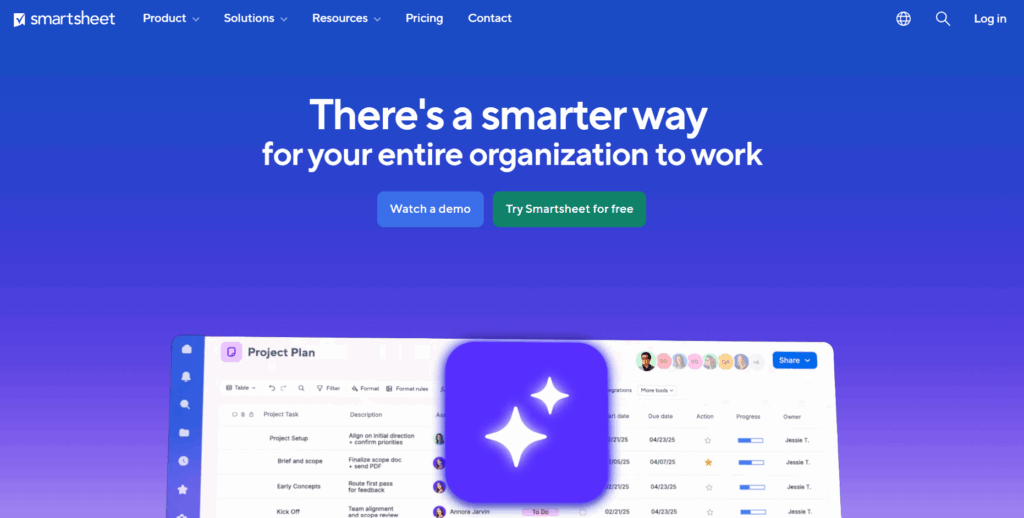
Smartsheet is often described as a bridge between spreadsheets and full project planning software. Its interface is intentionally spreadsheet-like, making it familiar to teams already planning work in Excel or Google Sheets but needing more structure or collaboration.
While Smartsheet offers a wide range of features, it can still support relatively simple project management. Teams start with basic sheets and gradually layer in timelines, dependencies, and automation as needed, rather than committing to complex setups from day one.
Key features
- Spreadsheet-style project sheets with rows, columns, and formulas
- Gantt charts and timeline views for scheduling and dependencies
- Card and calendar views for alternative ways to track work
- Automation for reminders, approvals, and status updates
- Dashboards and reports for sharing project status
Pros
- Familiar spreadsheet interface reduces onboarding time
- Highly flexible and adaptable to many use cases
- Gantt chart feature is intuitive and easy to implement
- Scales well as projects and teams grow
Cons
- Can feel complex or overwhelming if too many features are enabled
- Time tracking is not built in natively
- Advanced capabilities are locked behind higher-tier plans
- Spreadsheet-style interface won’t suit teams that prefer more visual project views
Pricing
- Free trial available for 30 days
- Free plan for two editors/viewers
- Paid plans from $9 per user/mo
- 4 paid plans available: Pro, Business, Enterprise, and Advanced Work Management
What users think
“My favorite thing about Smartsheet is how flexible it is. You can use it for just about anything. It’s also very simple to make changes to a solution once it’s been created.” — Tina C., a senior specialist in global supply chain services
“I’ve been using Smartsheet daily for over a year now, and it has become my go-to project management tool. The Gantt chart feature is intuitive and easy to implement, making it simple to visualize timelines and dependencies.” — Olivia B., an enterprise project manager
7. Asana: Best for growing teams craving flexibility
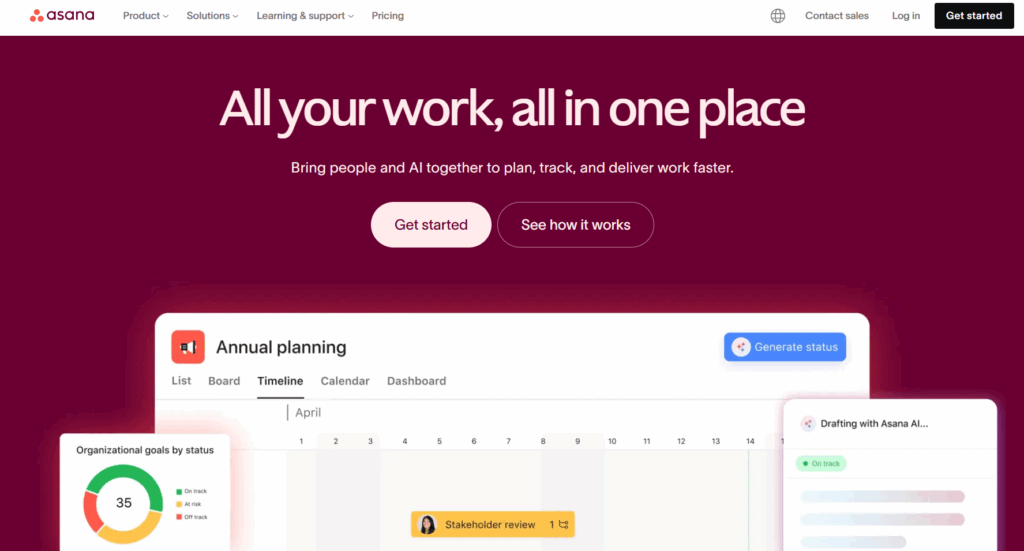
It’s fair to say that Asana can support complex project management use cases. But it’s also a strong fit for leaner projects. Much of how simple Asana feels comes down to the plan you choose; for example, features like portfolio management workloads aren’t available below the Advanced plan.
At its most basic, Asana works as a clean task and project tracker. Teams can start with simple lists or Kanban-style boards, then assign work, set due dates, and track project progress without touching more advanced features. As needs grow, you can gradually layer in timelines, and reporting.
Key features
- Task and project management using lists, boards, and timelines
- Clear task ownership, due dates, and priority setting
- Comments, mentions, and notifications
- Project templates for common workflows
- Native time tracking fields on higher-tier plans
- Optional automation and reporting features
- Clean, intuitive interface that works well for first-time users
Pros
- Supports both simple and more advanced workflows
- Easy to get started with lists or boards
- Strong collaboration features for teamwork and coordination
- Light-hearted celebration creatures that add a small boost of motivation when tasks are completed
Cons
- Free plan isn’t a great fit for teams
- Premium pricing is marginally more expensive than competitors
- Potential performance issues with the mobile app
Pricing
- Free trial for 30 days
- Asana Personal is available as a free tier for 2 users
- Paid plans from $10.99 per user/mo
- 4 paid plans available: Starter, Advanced, Enterprise, and Enterprise+
What users think
“Asana’s design gives you the flexibility to use it in a straightforward way, such as with lists or a Kanban board, or in more advanced ways depending on your needs. The interface is simple, yet it’s a powerful platform.” — MC C., a small business director
“What I like most about Asana is how easy it makes task and project management. The interface is clean and well-organized, so it’s simple to create tasks, assign them, set deadlines, and track progress.” — Mayank K., a full stack engineer
8. Plaky: Best for small businesses tracking tasks
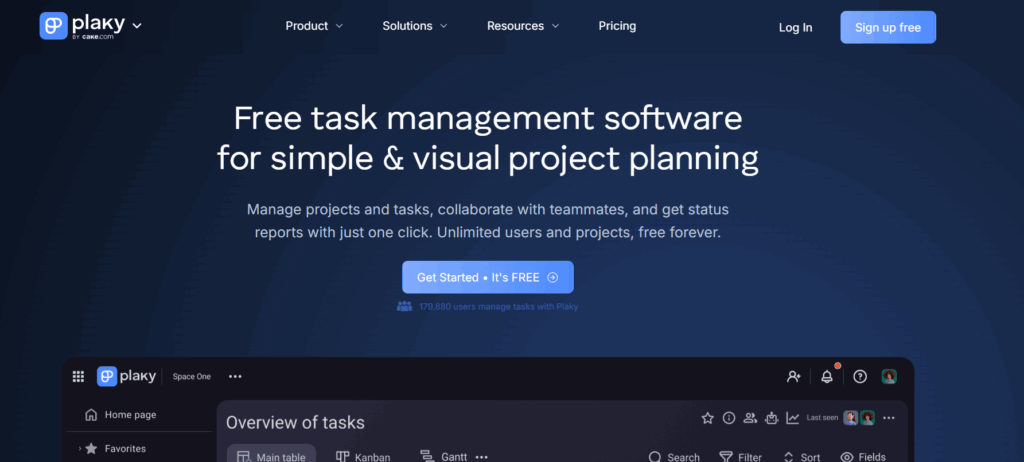
Plaky is a straightforward task and project management tool for teams who want something easy to run day to day, but need better visibility than a to-do list. It keeps the core workflow simple with boards and tasks, while adding a few “manager-friendly” touches that make it easier to spot progress, changes, and workload without building reports from scratch.
Key features
- Board and table views for task management, with drag-and-drop support
- Summary row shows overall progress or totals across columns/tasks
- Activity view shows recent updates in one place
- Board sorting and subsorting to organize work by priority, deadline, or other fields
- Simple admin view for managing users, permissions, and workspace settings
- Basic collaboration features like comments and attachments
- Automations and conditional coloring keeps boards readable and repetitive work lighter
Pros
- At-a-glance progress tracking
- Easy to keep boards tidy as they grow
- Useful for teams that need basic controls over visibility and access
Cons
- No built-in time tracking
- Limited integrations and automations
- Reporting may be limited compared to other tools
Pricing
- Free tailored onboarding session
- Free plan for unlimited users
- 3 premium plans: Pro, Enterprise, and Cake.com bundle
- Premium pricing starts at $3.99 per seat/mo
What users think
“Plaky has helped us manage tasks and organize the projects we are working on with great ease.” — Mandy K., a managing director
“The easiest and simplest project management tool you’ll ever need for your small business.” — Io P., a CEO and founder
9. Freedcamp: Best for budget-conscious teams

Freedcamp packs a surprising amount of functionality into a simple, low-cost platform. It’s designed for teams that want to manage tasks, timelines, docs, files, and discussions in one place, without paying enterprise prices or committing to complex setup.
The platform is modular, meaning teams can turn features on or off depending on what they need.
Key features
- Task lists and Kanban boards for day-to-day work management
- Gantt charts and calendar views for basic scheduling
- Tasky for 100% private tasks
- Built-in time tracking and timesheets
- File storage and document sharing within projects
- Discussion boards and comments for collaboration
- Issue tracking, wiki, and invoicing modules (plan-dependent)
- Mobile apps for iOS and Android
Pros
- Very affordable pricing
- Generous free plan with unlimited users and projects
- Modular setup lets teams keep workflows simple
- Works well for teams onboarding new users quickly
Cons
- Time tracking feels basic compared to competitors
- Reporting and analytics aren’t as advanced as other tools
- Limited automation available
Pricing
- Free 14-day trial available
- Free forever plan for users and projects
- 3 premium plans available: Pro, Business, and Enterprise
- Premium pricing starts at $1.49 per user/mo
What users think
“Our team loves how simple it is to use, even for new members. It works great on desktop and mobile, so we can update tasks or check deadlines anytime.” — Mi A., an SEO specialist
“Freedcamp is so easy to use right from the start. It is simple where it needs to be, making project management intuitive and clear.” — Mat W., an instructor
When might you need more advanced project management tools?
Projects don’t always stay simple forever. Even if your team is small and priorities don’t shift too often, it’s normal for your work to evolve over time. Here are some common signs you may be outgrowing a lightweight setup and need more advanced project management software capabilities.
Complex dependencies and shifting timelines
If your work is tightly connected to other dependencies, and a single delay can impact several downstream tasks, you might need more than a basic board or to-do list. In this case, consider tools with robust timeline and dependency management. These give you a clearer picture of how work unfolds over time, not just what’s happening here and now.
Resource management across people and projects
Simple tools often allow you to assign tasks to a person willy-nilly, without considering whether they’re overbooked or unavailable. But as teams grow, planning work is also about who has the time and capacity to do it.
If you’re juggling multiple projects, managing part-time contributors, or trying to avoid burnout, you’ll likely need tools with better visibility into workloads and planned capacity.
Advanced reporting and data-driven decisions
Lightweight project management tools often focus on execution over analysis. They may show task status, but offer little insight into trends, bottlenecks, or how long work actually takes.
Basic reporting can fall short if your teams need to answer questions like:
- Why do our projects consistently run over schedule?
- Where do we lose time?
- How accurate are our estimates?
More advanced tools combine project data with time tracking and reporting, helping teams move from guesswork to informed decision-making.
Larger teams and more formal processes
Simple project management software shines in small teams with informal workflows. But it becomes harder to coordinate as your team size increases — a common problem for startups. Once you reach a certain headcount, that cute little Kanban board you set up no longer cuts the mustard. Upgrading at this point is essential for better coordination and ownership.
Hints your simple project management tools have reached their limit
| Situation | Where simple tools struggle | What you might need instead |
| Your projects have multiple task dependencies | Your timelines are unclear and you have to update each dependency manually | Timeline views with dependencies |
| Your projects have shared responsibilities | You have zero visibility into workload or availability | Resource and capacity planning |
| Your projects frequently overrun | You’re missing out on reporting and insights | Time-based reporting and forecasting |
| You’re a growing or distributed team | Your workflows and coordination are inconsistent | Scalable project structures and permissions |
| Your team is constantly switching between tools | Your work is spread across 3-5 platforms, forcing teams to jump between apps to manage tasks, files, updates, and conversations | Consolidated workflows with native integrations or an all-in-one project workspace |
Simplify your project management with Toggl Focus
If your projects feel messy and out of control, it could be because they’re genuinely complex and include many moving parts. Another possibility? We’d wager some of you are using a problem management tool that’s too bloated and doesn’t cut to the meat of what you need to know: how long each stage of your project will take, and who’s available to complete it.
As one of the best project management software available, Toggl Focus is here to provide pure and simple clarity on what’s going on. One Toggl Community member describes:
“Toggl Focus is amazing. The UX is perfect and matches my workflow in a shocking way!”
Like every other aspect of our platform, it’s super simple to get started with Toggl Focus. Sign up for free and start experiencing world-class tracking and planning today.
FAQs about simple project management tools
Which is the easiest project management tool?
Toggl Focus is one of the easiest project management tools to get started with, especially for teams that want simplicity without sacrificing visibility. The platform combines task management, visual planning, and built-in time tracking in a single interface, so teams don’t need to connect or learn multiple tools. With clear views and minimal setup, it’s designed for people who want to start managing work immediately, not configure software.
Who benefits most from using simple project management tools?
Simple project management tools work best for people and teams who want to stay organized without the complexity of more advanced platforms. These include:
- Freelancers and solopreneurs managing client work or personal projects
- Small teams coordinating shared tasks without formal PM processes
- Small agencies or consultancies running multiple lightweight projects
- Side projects and startups that need to move quickly
- First-time or accidental project managers without formal training
Can simple PM software replace spreadsheets or to-do lists?
Yes, for many teams, simple project management software is a direct upgrade from spreadsheets or to-do lists. Unlike static documents, PM tools allow you to assign tasks, update them in real time, and view them from multiple perspectives. They also reduce version control issues associated with spreadsheets and make collaboration easier, while still remaining lightweight and easy to use.
What are the best tools for Kanban-style simple workflows?
Popular tools for Kanban-style workflows include Trello, Kanboard, and Taiga, all of which use visual boards to show work moving through stages. Toggl Focus also supports Kanban-style workflows through its board view, with columns such as To Do, Blocked, In Progress, and Done. Unlike most Kanban tools, Toggl Focus includes built-in time tracking, allowing teams to see where work sits and how long it actually takes.
What basic features should a simple project management tool have?
At a minimum, a simple project management tool should include:
- Built-in time tracking
- Task creation and assignment
- Clear views of work (such as lists, boards, or timelines)
- Basic scheduling or due dates
- Simple collaboration, like comments or updates
- Visibility into progress and workload
What platforms should a simple project management tool integrate with?
If it makes sense to integrate a simple project management tool with other tools in your tech stack, consider the following categories:
- Agile and sprint planning tools: For teams following an Agile methodology, integrations that support sprint planning, backlogs, and task workflows, such as Kanban boards used in tools like Jira or Trello, help teams plan work in short, manageable cycles.
- Team communication tools: Connecting with Slack allows project updates, comments, and deadline changes to sync up where teams already collaborate.
- File storage and document sharing: Integrations with Google Drive and Dropbox let teams attach files directly to tasks and keep project documents in sync.
- Calendar and scheduling tools: Syncing with Google Calendar or Microsoft Teams shows deadlines, milestones, and sprint reviews alongside personal and team schedules.
Are there good free or open source simple project management tools?
Yes, there are several free and open source options that support simple project management needs. Free plans available in platforms like Toggl Focus, Trello, and Plaky are often well-suited to individuals or small teams with limited requirements, while open source tools like OpenProject appeal to users who want more control over hosting or data. The trade-off is these tools may require more setup or lack the polish and integrations of paid platforms.

Rebecca has 10+ years' experience producing content for HR tech and work management companies. She has a talent for breaking down complex ideas into practical advice that helps businesses and professionals thrive in the modern workplace. Rebecca's content is featured in publications like Forbes, Business Insider, and Entrepreneur, and she also partners with companies like UKG, Deel, monday.com, and Nectar, covering all aspects of the employee lifecycle. As a member of the Josh Bersin Academy, she networks with people professionals and keeps her HR skills sharp with regular courses.